Here’s your guide to beating the Amazon Buy Box challenges and outdoing your sales expectations
It’s safe to say that eCommerce is a big hit with the masses, considering the adoption rates it has amassed in recent years. Amazon (with its humongous market share) is one of the biggest faces of this success story, likely because of a stringent customer-centric approach and innovative features (FBA, user interface, and Alexa-assisted shopping).
The Amazon Buy Box is one such feature, designed to improve buyer convenience.
However, winning a spot in the Buy Box section is challenging. It includes managing Buy Box eligibility through effective strategies for pricing, seller rating, order success rates, etc. To do that, the seller needs to understand how the Buy Box works.
This blog will guide you through the strategies one can use to win the Buy Box. Incorporate these proven tips, and you will keep up with your peers on the platform, if not outperform them to make the Buy Box yours.
Table of Content
What is the Buy Box?
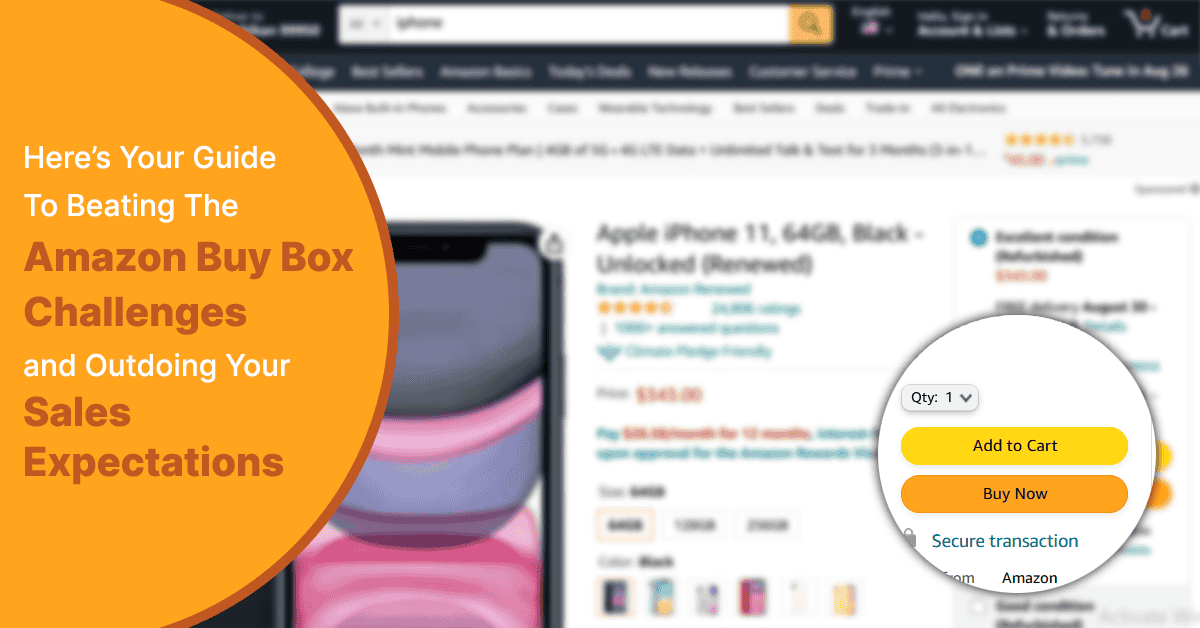
It is a panel on Amazon’s web pages and app that contains relevant information and options to buy the product. For sellers, the Buy Box serves as a means to sell their product over similar offerings from their competition.It contains the following essential information:
- Information about the product’s price
- Shipping costs and relevant details
- Option to choose the quantity of the product to buy
- Seller Name
- Shipping provider’s name (like Fulfilled By Amazon-FBA),
- Check Box to add gift options
- Default delivery address of the customer
- Button to Add the Product to a List
- Other sellers offering of the same product with price and condition detailsThe link takes the viewer to a page with their details
On the web page, the Buy Box appears as a long panel to the right of the product description. In the mobile app, it is present below the product’s images and title as an integrated part of the scrollable page.
Get Guaranteed eStore Growth with Amazon Seller Support Services.
Importance of the Buy Box
Do you remember the last time you went beyond the first results page for a search query on Google? If you don’t, that may be because you went with the first few links on the first page. Your Amazon users are no different. Once they like a product, a majority of them click on ‘Add To Cart’ or ‘Buy Now’ without caring much for the seller. The Buy Box comes in handy in such a situation since it will automatically redirect the purchase to your eStore (assuming you have secured the Buy Box for that particular product listing).
Thus, there’s simply no avoiding winning the Buy Box slot for yourself if you want to boost your business-it is a ticket to high profitability.
Benefits of the Buy Box
Any advantage over your peers in the highly competitive world of Amazon marketplace selling can be a lifesaver for your business. With a Buy Box by your side, you can rest assured you have got one of the most significant advantages. This is because it offers the following benefits:
-
Quick conversions
One click or tap, and the customer is making the purchase you want them to make. It doesn’t get easier for them to buy from the online store, and by extension, it doesn’t get easier for you to increase sales figures. Whether they put in the cart or buy directly, they are further ahead down the sales funnel than they would be if the box weren’t present.
Increased brand trust
The conditions put on sellers to gain access to the Buy Box means that those who do are legitimate, trustworthy brands who truly want to support their customers. Hence, its presence on your product pages greatly improves your brand image and trust.
High organic ranking
You need to have good sales figures to get access to the Buy Box. Therefore, having one tells the site’s search algorithm that your store is making the high sales figures deserving of a high rank on result pages. Thus, you end up with a positive feedback loop with the Buy Box keeping your sales high, which in turn keeps your ranking high, boosting your sales.
Cost reductions
You don’t have to spend much on your paid advertising with high organic marketing return and sales. Since your high sales help retain your Buy Box, you don’t have to frequently spend money bidding for it either. Besides the savings on two fronts, you simultaneously lower your ACoS and increase RoAS.
Improved ad performance
Speaking of lower ACoS, since your Sponsored ads performance depends on your sales performance, the presence of a Buy Box keeps your Sponsored Ads showing as well.
How to become Buy Box eligible?
Gaining the Buy Box slot is a bidding competition you can enter by fulfilling some conditions. They are listed below.
Possess a professional seller account
There are two types of sellers on Amazon- individual and professional. Only sellers with a professional account are eligible for a Buy Box. Individual sellers should upgrade their accounts by purchasing a new professional account if they want to participate.
Check your Buy Box eligibility
There’s a Buy Box eligibility check box that can be found on the “Manage Inventory” page in your Seller Central, under “Preferences.” There you’ll find the “Buy Box Eligible” check box. Select it and click on “Save Changes” for eligibility information regarding each ASIN. You can view each one’s status in the “Buy Box Eligible” column.
Ensure your items are new
The Amazon Buy Box is only available for new items, so don’t try selling used ones there. There’s a separate option for selling Used items with the ‘See All Buying Options’ button.
Maintain inventory
If your product is out of stock, then you won’t feature in the Buy Box even if you’ve won it. The box gets automatically handed over to the next eligible seller.
Working the Buy Box algorithm
With many sellers vying for the coveted Buy Box, you cannot approach the bidding process blindly. You need a winning strategy that accounts for the Buy Box algorithm’s characteristics. Specifically, you should mind the key metrics that it values when deciding the winner.
Here are some of them:
Make your products Prime-eligible
If you are a new Seller, you can gain instant access to the Buy Box if you associate your products with Amazon’s Prime facility. You can do this by opting for the Fulfilled By Amazon (FBA) facility or Seller Fulfilled Prime. This option is known to grant new sellers Buy Box eligibility most of the time though it doesn’t come with any guarantee.
Maintain listing accuracy
If your customers clearly understand all they need to know about the product they are buying, they are more likely to convert. And the more they buy, the more the algorithm will like your listing. So ensure your listing is accurate in all aspects.
Prepare for order shipping correctly
Shipping to the wrong address, sending the wrong product/version/model, improper packaging, box contents missing, etc., are instances that lead to negative feedback. And the more the number of negative feedback, the less the algorithm prefers your listing.
Adhere to shipping schedules
Your shipped packages should arrive in customers’ hands at the latest by the date mentioned on the product page at the time of purchase. Otherwise, you can expect your customers and Amazon’s Buy Box algorithm to keep a distance from your products.
Lower your landing price
The landing price is the sum of a product’s cost and shipping charges. The lower your product’s landing price, the higher your chances of keeping the Buy Box. You can keep it higher than your competitors only if your sales/performance metrics are better than theirs.
Keep your customers posted
Constantly update the status of an order for the customer’s convenience. In case of delays, inform the customer of the reason for the same and the new due date. Confirm shipment so that you can avoid unnecessarily canceled orders. These measures will keep your product in the algorithm’s good books.
Always satisfy your customers
Be a business that buyers can rely on. Monitor refunds, returns, exchanges, and product detail-related queries just as carefully as you manage an order. If your customers are satisfied with post-transaction support, they are more likely to favor your store again, as will the algorithm after noticing the high engagement.
We Make The Buy Box Algorithm Work For You.
Reasons why sellers miss the Buy Box despite being eligible
It may baffle sellers when Amazon does not allot them a featured Buy Box position, especially if they have made effort toward securing it. But, there are some specific reasons why this may happen.
The price may not be competitive
The Buy Box algorithm is price-sensitive as Amazon wants to offer reasonable prices to its customers. If the algorithm finds that your listed price for a product does not match that criteria, it will redirect your potential customers to another product/seller with a price point it deems appropriate.
The first check is done against the MSRP of the product. Your listed price for it should be within a 5% margin ceiling to prevent its Buy Box suppression. This rule applies even if multiple sellers do it; all of them will be suppressed to stop price gouging.
This price check is not limited to Amazon’s marketplace alone. The company has entire systems dedicated to searching the internet for product prices. So, your listed price should be competitive compared to your peers on the marketplace and lower than third-party sellers outside of it. This condition also applies to products that fall under the same category. In such situations, not only is the listing’s Buy Box eligibility affected, but also its organic ranking and frequency of appearance as a Sponsored Ad.
Amazon also functions as a first-party seller with its line of products under AmazonBasics and other subsidiaries. It also sells products from other brands. If you end up competing against Amazon to sell a product or a different product of the same category and have a higher price than Amazon, your listing will be booted from the Buy Box.
The product is inauthentic
Amazon only wants authentic products to be listed on its platform, so it flushes out any it finds are not. As mentioned earlier, only items that come under the New condition are eligible to have the Buy Box. Used ones will only get the “See All Options” button, even if authentic. Counterfeits won’t even get that and will have their entire listing removed.
You are new and/or not eligible for Amazon Prime
It is not easy to gain Buy Box eligibility if you are a new seller on the Amazon marketplace. Amazon verifies your capability to consistently deliver for the first 30 days of your operation, during which period there won’t be a Buy Box present on your listings.
Another trick Amazon pulls on new sellers is redirecting customers toward its Prime-eligible products. If you’ve not enabled this facility for your products, then your sales volume will not hit the numbers the algorithm needs to qualify you during this evaluation period. This reduces the chances of a Buy Box appearance on your product pages.
The listing contains mistakes
If Amazon receives customer complaints about your listing having wrong information regarding product aspects, it will pull down the listing from the Buy Box. This tends to be a temporary measure and you will get notified of the same from the company with details of the action and its causes. Sometimes, the problem may occur due to technical issues from Amazon’s side.
Amazon can’t procure something from a brand
This situation can be considered one of the downsides of having Amazon as a first-party seller on its platform. If Amazon can’t get a product for its sale from a brand for any reason, it suppresses the product’s sales for all sellers by removing it from the Buy Box. The rationale is to reduce customer dissatisfaction with ordering a product and not getting it due to low stock.
It’s a technical issue
Occasionally, the systems managing the Buy Box or associated facilities face technical issues. As a result, your listing won’t get updated to the Buy Box spot, even if it meets all relevant criteria. In other instances, a listing already having a Buy Box will lose it.
The product has insufficient sales volume
Amazon rewards sellers who consistently perform well with all sorts of perks, one of which is retaining the Buy Box facility. If the algorithm finds that your product’s sales performance, or your store in general, has stumbled below a certain threshold, then you stand to lose that facility.
This happens because the algorithm takes the lack of sufficient sales volume compared to the threshold as signifying some flaw in the listing/product/seller’s service. The difficulty here is that Amazon isn’t open about this threshold figure and how the entire process is constructed. There is also insufficient information to tell if the condition applies to a product or an entire category.
Your seller rating has gone down
Your seller rating indicates your value in the marketplace, and the Buy Box algorithm only goes for high-value sellers. Your seller rating should not drop below 90% from the trailing 30-day period if you don’t want Amazon to suppress your listings’ Buy Boxes. This type of suppression can also occur if a product’s rating goes down.
Flawed past-price comparison
The algorithm determining Buy Box eligibility is not without its occasional flaws. One such scenario is wrongful price consideration of a product. You may have discounted a product for a sale or promotional event during the algorithm’s pricing evaluation period. When you restore the product’s non-discount price, the algorithm may mistake it as uncompetitive and pull the listing’s Buy Box eligibility. There’s a higher likelihood of this situation occurring if you are the sole seller of a product.
Amazon is reviewing your listing again
Sometimes, Amazon may decide your recently corrected and restored listing deserves another look for unknown reasons. Then, it will temporarily remove the listing’s Buy Box until it is satisfied with the corrections made this time. You may even see the lack of a Buy Box even after such a review due to a delay on Amazon’s side.
Some other random reason
Yes, just that. Other than the definite reasons listed thus far, your listing’s Buy Box may not be present due to a random, hitherto unknown reason. Or it may be a combination of known and/or unknown reasons.
It’s hard to foresee every possible reason for Buy Box suppression, even for a large and established company like Amazon. Once such a situation is noticed, Amazon will take note of the problem and investigate its underlying causes to prevent its recurrence. The Buy Box will remain missing from your listings during this period and until the company or someone else has figured out a possible fix.
Troubleshooting Buy Box suppression
Since the Buy Box can be suppressed for a host of reasons, the ways to recover it are diverse too. You should know about the cause of your missing Buy Box situation to devise an effective countermeasure and have the box back on your pages.
- If you are new, you can either wait till your evaluation period is over to gain eligibility or join Amazon’s Prime program to get it instantly.
- If it’s due to your lack of sales or bad reviews, rework your marketing and operation strategies to regain the lost sales numbers. Hire external help like an Amazon virtual assistant to handle it for you.
- For situations where Amazon is conducting a review of your content, you can check the status and contact the support team for any related queries. You may have to send reminder emails to speed up restoration.
- When you are unsure of the reason behind the takedown, like a technical issue or Amazon’s internal matter, then contact the seller support team immediately and ascertain the reason if possible. Make sure you describe every relevant detail as briefly as possible for a speedy solution.
In conclusion
The ultimate winning strategy on the Amazon marketplace is doing all you can to give your customers the best shopping experience. The Buy Box greatly influences their shopping experience and your selling experience. So, there is no question that you should do all you can to gain and retain the Buy Box for as long as possible. The benefits you get as a result will shoot up your brand value and profitability.

The SunTec India Blog
Brought to you by the Marketing & Communications Team at SunTec India. We love sharing interesting stories and informed opinions about data, eCommerce, digital marketing and analytics, app development and other technological advancements.